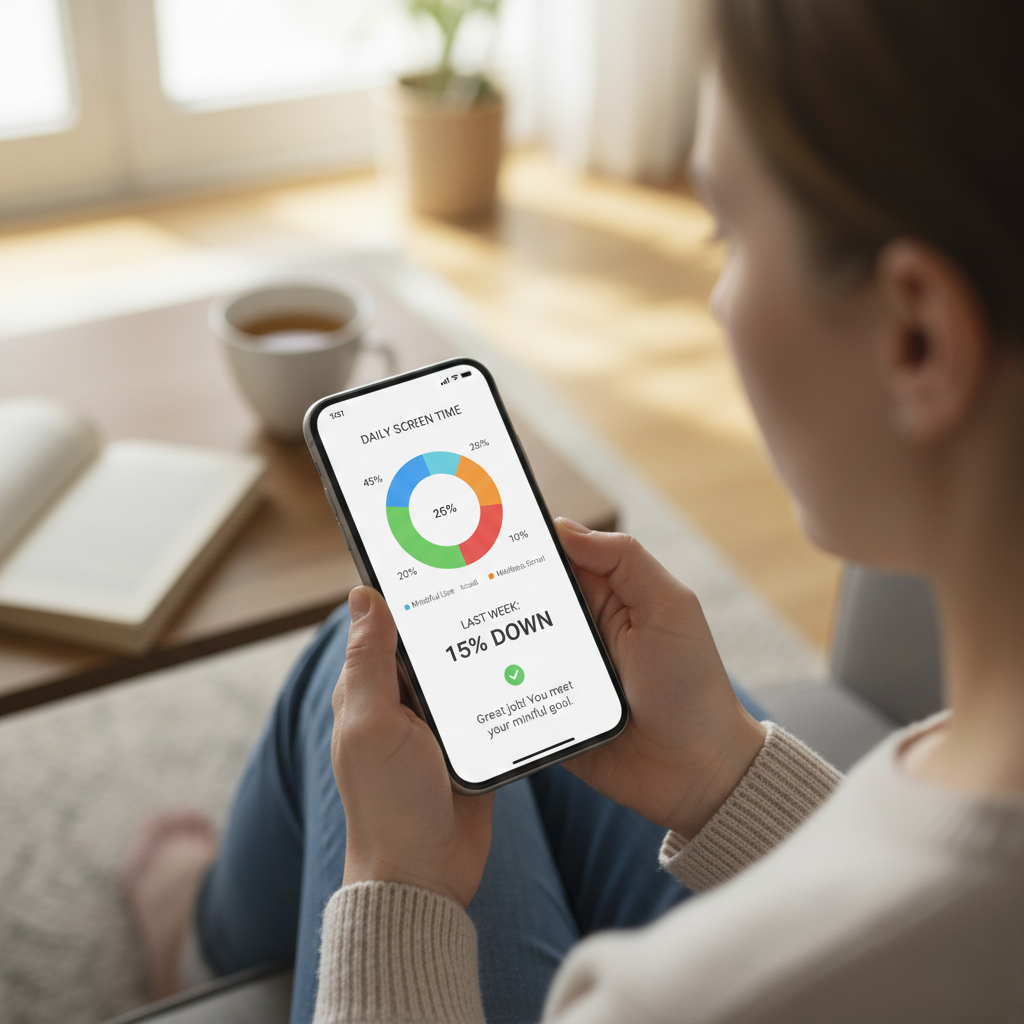
In today’s always-connected world, it’s becoming increasingly important to track your screen time and understand how much of your day is spent on digital devices. Whether it’s scrolling social media, replying to emails, binge-watching shows, or hopping between apps, screen exposure has become an unavoidable part of modern life.
While tracking your usage can help you recognize patterns and regain control, many people end up doing it the wrong way—checking their stats too often, stressing about the numbers, or even feeling guilty for normal digital behavior. Learning how to track screen time without obsessing is essential for creating a sustainable, healthy balance with your devices.
This guide breaks down how to use screen time tracking as a helpful tool rather than a source of anxiety. You’ll discover practical strategies to reduce screen time, monitor screen time habits mindfully, and build healthy screen time management routines that support long-term digital wellness. With the right approach, you can achieve balanced screen time and enjoy technology without letting it control your day.
Why Screen Time Tracking Matters—but Only in a Healthy Way
Tracking screen time helps bring awareness to your digital behaviors. Many people don’t realize how much time they spend on their phones or laptops until they start paying attention. However, becoming overly focused on numbers can backfire. Instead of feeling empowered, you may feel pressured or discouraged when your stats don’t look perfect.
Healthy tracking is not about perfection—it’s about awareness and improvement over time.
Here’s why mindful tracking matters:
1. It Helps Reveal Habits You Didn’t Know You Had
Sometimes you grab your phone “just for a minute” and suddenly 20 minutes have passed. Tracking helps highlight these unconscious patterns.
2. It Makes Time Feel More Real
Numbers help you understand where your attention is going. This awareness allows you to make intentional choices.
3. It Encourages Better Lifestyle Balance
When you see how much time is spent on screens, it becomes easier to shift toward activities that support well-being, like outdoor walks, hobbies, or face-to-face interactions.
4. It Helps Prevent Digital Burnout
Becoming more mindful about usage can prevent mental exhaustion from constant online engagement.
But to get these benefits, screen time tracking must be done in a calm, structured way—without guilt or obsession.
The Right Mindset Before You Start Monitoring Screen Time
Many people start tracking with unrealistic expectations, thinking they must drastically lower their screen time overnight. That’s not sustainable. Before you begin, it’s important to set the right mindset:
✔ Tracking Is a Tool, Not a Test
Your screen time numbers are not a grade. They simply give you information.
✔ Progress Matters More Than Perfection
Small shifts—like 10 fewer minutes of scrolling—add up over time.
✔ Your Lifestyle Influences Your Numbers
A remote worker or student will naturally have higher screen time than someone in a field job.
✔ Your Goal Should Be Balance, Not Elimination
Technology isn’t the enemy; overuse is.
With this mindset, you can build digital wellness habits that feel empowering rather than restrictive.
Step-by-Step: How to Track Screen Time Without Obsessing
Below are practical steps to track your screen time in a simple, non-stressful way.
1. Choose One Tracking Method and Stick to It
One reason people obsess over screen time is that they use too many tools at once—phone trackers, app trackers, productivity apps, browser extensions, and manual logs.
Instead, choose one method and commit to it.
Options for Mindful Screen Time Tracking
- Built-in phone features (iOS Screen Time or Android Digital Wellbeing)
- Browser extensions for Chrome, Firefox, etc.
- Smartwatch tracking tools
- Basic app usage summaries
- A lightweight tracking app (just one!)
Using one central tool allows you to view your digital habits without drowning in data.
Why This Helps
Too many apps create more digital clutter and increase stress. Choosing one source of truth keeps the process simple and manageable.
2. Check Your Data Only Once a Day or Once a Week
Constantly checking your screen time defeats the purpose. It leads to anxiety, guilt, and obsessive behavior.
Instead, check your usage:
- Once per day, if you’re trying to build new habits
- Once per week, if you want a long-term overview
Weekly checks are especially helpful because they show patterns instead of daily fluctuations.
Benefits of Limiting Check-ins
- Reduces pressure
- Prevents obsessive numbers-checking
- Helps you make decisions based on meaningful trends
- Stops you from feeling judged by single days
This simple strategy helps you monitor screen time habits without letting them consume your energy.
3. Use Categories, Not Total Time, to Understand Your Behavior
Total screen time alone can be misleading. You might see “6 hours” and feel guilty—without realizing that 4 of those were work-related.
Instead, focus on categories:
- Work or study
- Social media
- Entertainment
- Productivity
- Communication
Understanding categories helps you identify where the imbalance is.
Why Category-Based Tracking Works
It shifts your focus from “How many hours?” to “What types of activities?”
This supports healthy screen time management because you learn to differentiate between necessary and optional usage.
4. Set Intentional, Gentle Goals Instead of Rigid Rules
Obsessive screen time tracking often comes from setting strict or unrealistic rules.
Instead of “No screens after 7 PM,” try:
- “I’ll put my phone away during dinner.”
- “I’ll reduce my Instagram scrolling by 10 minutes.”
- “I’ll spend the first hour of my morning screen-free.”
Examples of Gentle, Sustainable Screen Time Goals
- Decrease social media usage by 5–10%
- Add one screen-free activity to your daily routine
- Avoid phone use in specific situations (bedtime, meals, etc.)
- Replace one digital habit with a healthier alternative
These goals help you reduce screen time without feeling restricted or punished.
5. Pair Tracking with Intentional Digital Wellness Habits
Tracking isn’t beneficial unless you pair it with meaningful habits. To avoid obsessing, introduce simple digital wellbeing tips that support your mental balance.
Effective Digital Wellness Habits
- Keep your phone out of reach while working.
- Establish short screen-free moments throughout your day.
- Use “Do Not Disturb” during focused tasks.
- Charge your device outside your bedroom.
- Use grayscale mode to reduce compulsive checking.
Why This Works
Healthy habits shift your focus from numbers to behavior. The goal becomes living well—not tracking perfectly.
6. Create Screen-Free Zones and Rituals
One of the best ways to achieve balanced screen time is to designate areas or times where screens simply don’t belong.
Examples of Screen-Free Zones
- Dining table
- Bedroom
- Bathroom
- Car (when not using GPS)
- Balcony, patio, or garden
Examples of Screen-Free Rituals
- Morning routine
- Pre-sleep wind-down
- Meals with loved ones
- Weekend nature walks
- Evening tea or journaling
These practices naturally reduce your screen time without requiring obsessive tracking.
7. Track Behaviors, Not Just Time
Sometimes the biggest issue is not the number of hours but the quality of your screen habits.
Ask yourself:
- Am I using my phone purposefully or mindlessly?
- Which apps drain my energy?
- Which apps help me?
- When do I feel happiest and calmest away from screens?
Tracking behavior patterns creates deeper awareness than tracking hours.
Examples of Behavioral Patterns to Observe
- Social media scrolling when bored
- Checking your phone immediately upon waking
- Using screens to escape discomfort
- Working longer due to digital distractions
- Using screens during meals
Once you recognize your patterns, you can adjust them more effectively.
8. Avoid Comparing Your Screen Time to Others
One major source of obsession and guilt is comparing your screen time with family, friends, or influencers who claim they use their phone for only an hour a day.
Your lifestyle, work demands, and responsibilities are unique.
Why Comparison Hurts
- Creates unnecessary pressure
- Makes you feel inadequate
- Encourages shame-based motivation
- Distracts you from personal growth
Healthy screen time management is personal—not competitive.
9. Accept That Screen Time Will Never Be “Perfect”
No one has perfect digital habits. There will always be days when your screen time spikes due to:
- Work deadlines
- Online meetings
- Long video calls
- Binge-watching
- Research
- Travel planning
- Entertainment
Perfection is not the goal. Consistency is.
The 80/20 Rule
Aim for 80% mindful habits and allow 20% flexibility. This approach creates sustainable balance.
Understanding the Difference Between Tracking and Obsessing
To truly benefit from screen time tracking, it’s important to differentiate between healthy awareness and unhealthy fixation.
Healthy Tracking Includes:
- Calmly checking weekly reports
- Adjusting habits gradually
- Noticing patterns over time
- Making choices based on awareness
Obsessive Tracking Includes:
- Checking your stats multiple times a day
- Feeling guilty for high usage
- Pressuring yourself to hit unrealistic goals
- Feeling anxious when numbers fluctuate
Your tracking tool should feel like a supportive coach—not a strict judge.
How to Create a Balanced Screen Time Plan That Works for You
Now that you understand how to track without obsessing, let’s put it all together into a realistic, personalized strategy.
Step 1: Define Your Digital Priorities
Ask yourself:
- What matters most?
- What apps support my goals?
- Which apps drain my energy?
This helps you set meaningful screen time goals.
Step 2: Identify Your Main Distractions
Examples include:
- Instagram
- YouTube
- Gaming apps
- News feeds
- Endless scrolling
Knowing your triggers helps you plan solutions.
Step 3: Choose Your Screen Time Tracking Tool
Decide whether you will use:
- Phone’s built-in tracking
- A single third-party app
- A computer extension
Stick to one source of data.
Step 4: Set Gentle Adjustments, Not Harsh Restrictions
Instead of rigid limits like “30 minutes only,” choose goals such as:
- “Decrease by 10 minutes this week.”
- “Avoid social media before work.”
- “Add one screen-free hobby this month.”
These adjustments feel natural and achievable.
Step 5: Add Non-Digital Activities to Your Routine
Some ideas:
- Stretching
- Cooking
- Reading
- Gardening
- Learning a craft
- Yoga
- Walking outdoors
- Journaling
These activities naturally help you reduce screen time.
Step 6: Review Your Progress Once a Week
Focus on long-term trends:
- Are you scrolling less at night?
- Are you using productive apps more?
- Are you feeling calmer or more balanced?
These reflections matter more than raw numbers.
Step 7: Reward Your Progress
Celebrate small victories, such as:
- One week of nighttime phone-free routine
- Reduced morning scrolling
- More time spent on offline hobbies
Positive reinforcement strengthens good habits.
Digital Wellness Habits to Help You Stay Balanced Long Term
To maintain balanced screen time, incorporate habits that support your digital wellbeing.
1. Create Morning and Night Routines Without Screens
This reduces stress and improves your sleep quality.
2. Use Tech Features Intentionally
Tools like Focus Mode, App Timers, and Downtime help you stay disciplined.
3. Turn Off Nonessential Notifications
Less noise = less temptation.
4. Keep Your Phone Out of Sight More Often
Out of sight, out of mind reduces mindless checking.
5. Replace Doomscrolling With Positive Offline Activities
Reading, sketching, or taking a short walk works wonders.
6. Set Clear Work–Life Boundaries
Avoid checking messages after work hours to reduce digital fatigue.
7. Practice Digital Mindfulness
Check your intentions before unlocking your phone.
What a Balanced Screen Time Day Looks Like
Here’s an example of a realistic, healthy daily routine:
Morning
- Wake up without touching your phone for at least 30 minutes
- Coffee, stretching, or reading
- Check your phone only once you’ve grounded yourself
Workday
- Use focus blocks
- Keep notifications off except for essential ones
- Take short breaks away from screens
Afternoon
- Midday walk
- Hydration break
- Intentional check-ins instead of constant multitasking
Evening
- Limited entertainment scrolling
- Replace at least one digital activity with a calming offline hobby
Night
- No screens 1 hour before bed
- Journaling, meditation, or quiet reading
This rhythm helps you stay connected without letting screens overtake your day.
Why You Don’t Need to Fear Your Screen Time Numbers
Your screen time doesn’t define you. High numbers don’t mean failure; they simply reflect your current habits. Awareness is the first step toward change.
What Matters More Than the Numbers
- How you feel mentally
- How productive you are
- How well you sleep
- How balanced your life is
- How intentional your screen habits are
The ultimate goal of tracking is better well-being, not lower numbers.
Final Thoughts: Build Awareness, Not Anxiety
Learning how to track screen time without obsessing is a powerful step toward a healthier digital lifestyle. With mindful practices, gentle goals, and consistent digital wellness habits, you can create a balanced relationship with technology—one that supports your mental, emotional, and physical well-being.
Remember:
- Track once a day or once a week
- Focus on trends, not perfection
- Prioritize behavior over numbers
- Choose one tool, not many
- Build screen-free habits that genuinely feel good
When you shift from obsessive tracking to intentional awareness, you unlock the true power of healthy screen time management. You become more present, more productive, and more in control of your digital life.
About the Author