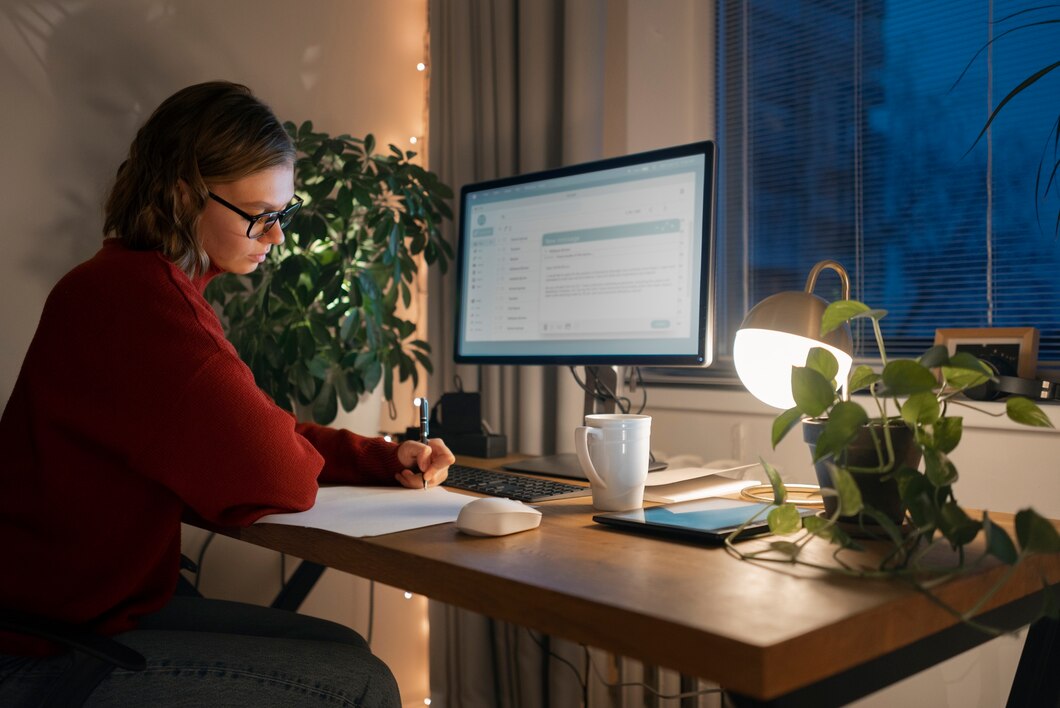
Digital minimalism for remote workers is more than just a trendy concept—it’s a practical strategy for improving focus, efficiency, and well-being in a world dominated by screens. Remote professionals often juggle multiple devices, apps, and notifications, which can fragment attention and increase stress. By embracing a minimalist approach to technology, workers can reclaim their time, reduce cognitive overload, and enhance productivity. The goal is not to eliminate technology entirely but to work smarter with fewer screens, eliminating distractions while optimizing the digital workspace for maximum efficiency.
What Is Remote Work Digital Minimalism?
Remote work digital minimalism is the practice of intentionally simplifying digital tools, devices, and workflows to maximize focus and effectiveness. It emphasizes quality over quantity, encouraging workers to use only the tools that truly add value while eliminating unnecessary apps, notifications, and devices that create noise. Unlike a generic digital detox, minimalism for remote work is strategic and sustainable—it’s about creating a digital environment that supports deep work rather than constant consumption.
Why Work Smarter with Fewer Screens Matters
Remote workers often fall into the trap of multitasking across multiple screens and applications. This can lead to:
- Reduced concentration
- Increased cognitive fatigue
- Longer work hours with less output
- Higher stress levels
By reducing the number of screens and apps in use, remote workers can streamline workflows, enhance focus, and reclaim mental clarity. Working smarter with fewer screens allows for intentional engagement with tasks rather than reactive responses to notifications or platform switching.
The Role of Digital Detox for Remote Workers
A digital detox for remote workers is an essential component of minimalist work practices. Temporary breaks from nonessential devices and notifications help reset attention, reduce stress, and provide perspective on which tools truly support productivity. Unlike a one-time detox, integrating short digital breaks into daily routines can cultivate long-term focus and resilience against burnout.
Assessing Your Digital Workspace
Before adopting minimalist strategies, remote workers should evaluate their current digital environment. This includes:
- Device Inventory: List all devices in use—laptops, tablets, smartphones, monitors—and assess which are essential.
- App Audit: Identify apps that support productivity versus those that create distractions.
- Workflow Mapping: Examine how tasks flow across devices and apps to detect inefficiencies.
Understanding the current setup allows workers to pinpoint where digital clutter exists and what can be simplified for better efficiency.
Workspace Optimization for Remote Professionals
Workspace optimization goes hand-in-hand with digital minimalism. Physical and digital environments both affect focus and efficiency.
Physical Workspace Tips:
- Use a single primary monitor or laptop to avoid visual overload
- Keep the desk free of nonessential devices and clutter
- Invest in ergonomic furniture to reduce physical strain
Digital Workspace Tips:
- Limit open windows and tabs to only those necessary for immediate tasks
- Organize files and folders for quick retrieval
- Customize notifications to reduce interruptions
Optimizing the workspace ensures that remote workers can focus on tasks without being overwhelmed by unnecessary stimuli.
Distraction Elimination Techniques
Distractions are the enemy of productivity, especially in remote work. Digital minimalism emphasizes proactive elimination rather than reactive coping.
Key Techniques Include:
- Notification Management: Turn off nonessential alerts and batch-check email or messaging apps.
- App Limitation: Remove or temporarily disable apps that do not serve critical work functions.
- Time Blocking: Assign specific periods for focused work without devices unrelated to the task.
- Single-Tasking: Focus on one project at a time rather than constantly switching screens.
Implementing these strategies allows remote workers to reclaim uninterrupted focus and increase output without extending work hours.
Remote Work Tools: Streamline, Don’t Multiply
While minimalism emphasizes fewer screens, having the right tools is crucial. Remote workers can benefit from carefully selected apps that centralize tasks, communication, and collaboration.
- Task Management: Tools like Trello, Asana, or Notion can replace multiple scattered apps.
- Communication: Limit platforms to one or two essential apps (e.g., Slack or Teams).
- Cloud Storage: Use a single cloud service for file management to avoid multiple accounts and sync issues.
By carefully curating subscriptions and tools, remote workers can maintain efficiency without the cognitive load of switching between numerous applications.
Productivity With Fewer Screens
Using fewer screens can significantly improve productivity when approached intentionally. Multiple screens may feel like multitasking, but research shows this can reduce cognitive performance and increase errors.
Strategies for Productivity:
- Focus on one device at a time for specific tasks
- Close or hide unused apps and browser tabs
- Schedule “device-free” deep work periods
- Use minimalist interfaces or dark mode to reduce visual clutter
Remote workers who streamline their digital environment often report faster task completion and less fatigue at the end of the day.
Screen Time Reduction for Remote Work
Screen time reduction is not about cutting hours arbitrarily; it’s about allocating attention efficiently. Remote workers can benefit from:
- Limiting unnecessary browsing or social media usage during work hours
- Using time-tracking apps to understand where attention is being spent
- Incorporating analog tools, like notebooks, for brainstorming and planning
By reducing unnecessary screen time, professionals gain both mental clarity and the energy needed for high-priority tasks.
Mindful Technology Use at Work
Mindful technology use is central to digital minimalism. It encourages intentional interactions with devices rather than passive consumption. This includes:
- Asking “Does this tool serve a meaningful purpose?” before opening an app
- Scheduling tech-free breaks to rest the mind
- Engaging in reflective practices to evaluate workflow efficiency
Mindfulness ensures that technology serves as a tool for productivity rather than a source of stress.
Minimalist Remote Work: Streamlining Digital Life
Minimalist remote work is about reducing complexity while maintaining functionality. The focus is on essentials that contribute directly to work goals.
Examples:
- Using one communication platform instead of juggling multiple chat apps
- Consolidating meetings into fewer, longer sessions
- Automating repetitive tasks with minimalist tools
This approach frees mental bandwidth and allows for better prioritization and decision-making.
Remote Work Habits for Digital Wellness
Sustainable digital minimalism relies on cultivating healthy habits:
- Begin the day with the most important task on a single device
- Schedule short breaks to reduce eye strain and mental fatigue
- Keep email and communication windows closed during deep work
- Use physical timers or reminders to track work intervals
These habits build resilience against distraction and support consistent focus.
Focus and Efficiency for Remote Workers
Remote workers often struggle to maintain focus due to environmental and digital distractions. By simplifying the digital landscape, workers can achieve sustained attention on high-value tasks.
Strategies include:
- Decluttering the desktop and browser
- Setting clear boundaries for work hours
- Prioritizing essential tasks using minimalist planning tools
- Limiting multitasking across devices
When focus is restored, efficiency increases, and workers can complete tasks more effectively.
Combining Workspace Optimization and Digital Minimalism
Workspace optimization and digital minimalism are complementary. Together, they create an environment conducive to deep work.
- Ergonomic workspace reduces physical strain and supports longer focus sessions
- Digital clutter reduction decreases cognitive overload
- Streamlined tools improve workflow efficiency
- Mindful routines help maintain energy throughout the workday
The integration of physical and digital organization ensures a holistic approach to remote work productivity.
Managing Remote Work Subscriptions
Subscription services can add both value and distraction. Remote workers should regularly audit subscriptions for tools, apps, and services, asking:
- “Do I actively use this tool for my work?”
- “Does this subscription save me time or improve output?”
- “Can I consolidate functionality into fewer apps?”
Eliminating unnecessary subscriptions reduces mental clutter and expenses while improving focus.
Implementing a Digital Minimalism Routine
To make digital minimalism sustainable, remote workers can create a routine:
- Morning Planning: Review tasks for the day and open only essential tools
- Focused Work Blocks: Use single-device sessions to complete priority tasks
- Midday Reflection: Take short breaks to reset attention
- Evening Wrap-Up: Close nonessential apps and plan tasks for the next day
Consistency in this routine develops habit-based digital wellness and reduces the cognitive load of decision-making throughout the day.
Overcoming Challenges in Digital Minimalism
Remote workers may face obstacles when reducing screens, including:
- Fear of missing important messages
- Habitual device checking
- Resistance from colleagues or teams accustomed to multitasking
Overcoming these challenges requires clear communication, gradual reduction, and visible demonstration of improved productivity outcomes.
Benefits of Minimalist Remote Work
Adopting digital minimalism provides multiple benefits:
- Reduced stress and cognitive overload
- Enhanced focus and efficiency
- Better work-life balance
- Improved mental and physical health
- Financial savings from fewer unnecessary subscriptions
These benefits support both professional success and personal well-being.
Tracking Progress and Adjusting
Continuous evaluation is essential for long-term success:
- Track task completion rates and energy levels
- Adjust tools and workflows as needed
- Reflect on which digital habits truly support productivity
- Celebrate small wins to reinforce motivation
Tracking progress helps refine digital minimalism practices to suit evolving remote work demands.
Case Study: Minimalist Remote Worker
Consider a professional who previously used three monitors, six apps for communication, and multiple subscription tools. By adopting digital minimalism:
- Devices were consolidated to a single monitor and laptop
- Only essential communication platforms were retained
- Repetitive tasks were automated using lightweight tools
- Daily tech-free breaks were introduced
As a result, the professional completed tasks faster, experienced less mental fatigue, and maintained healthier work-life boundaries.
Long-Term Strategies for Sustainability
Sustainable digital minimalism requires ongoing maintenance:
- Regularly reassess tool necessity
- Update digital boundaries based on work demands
- Encourage peer accountability for mindful tech use
- Integrate physical wellness practices alongside digital habits
Long-term sustainability ensures that remote workers maintain focus, reduce screen dependency, and enhance overall productivity.
Conclusion
Digital minimalism for remote workers offers a clear path to working smarter with fewer screens. By combining workspace optimization, distraction elimination, and selective use of remote work tools and subscriptions, professionals can regain control over their time, attention, and energy. The approach is not about abandoning technology but using it intentionally and mindfully. With structured routines, mindful technology practices, and regular audits of tools and subscriptions, remote workers can reduce screen time, improve efficiency, and enjoy a more balanced, productive work life.
About the Author